For homestays, guesthouses & villas
Bookings, staff and property cash in one app.
Oumah brings your booking calendar and OTAs together with attendance, shifts, housekeeping and petty cash — so the property keeps running smoothly, even when you're not there.
Free for 14 days on every base module. The Oumah team helps set up your rooms, rates and staff accounts.
Connected to 70+ OTAs and booking channels
- Booking.com
- Agoda
- Airbnb
- Traveloka
- Tiket.com
- Expedia
- Trip.com
- Hotels.com
- Vrbo
- Hostelworld
- Hotelbeds
- Google Hotels
Before and after
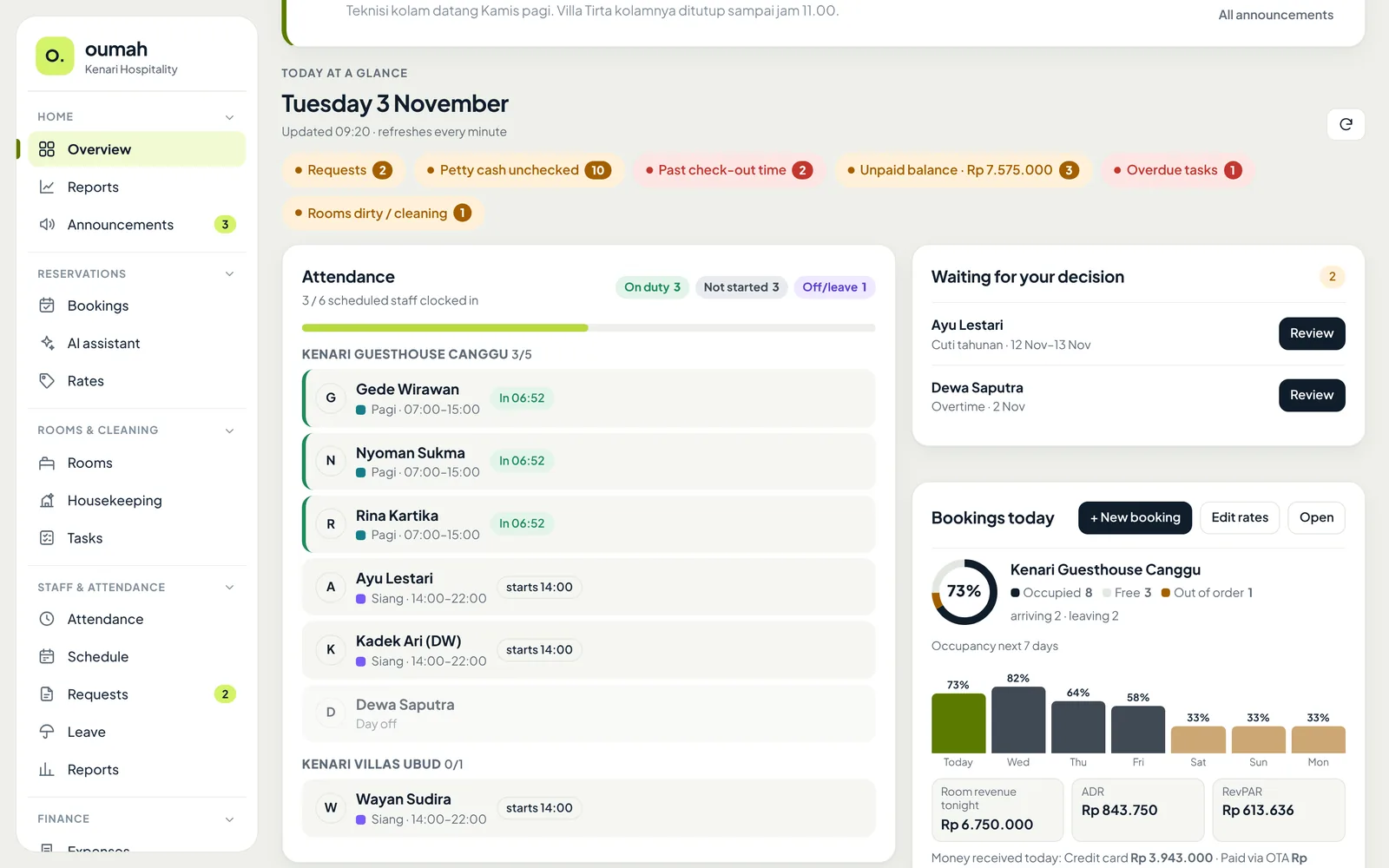
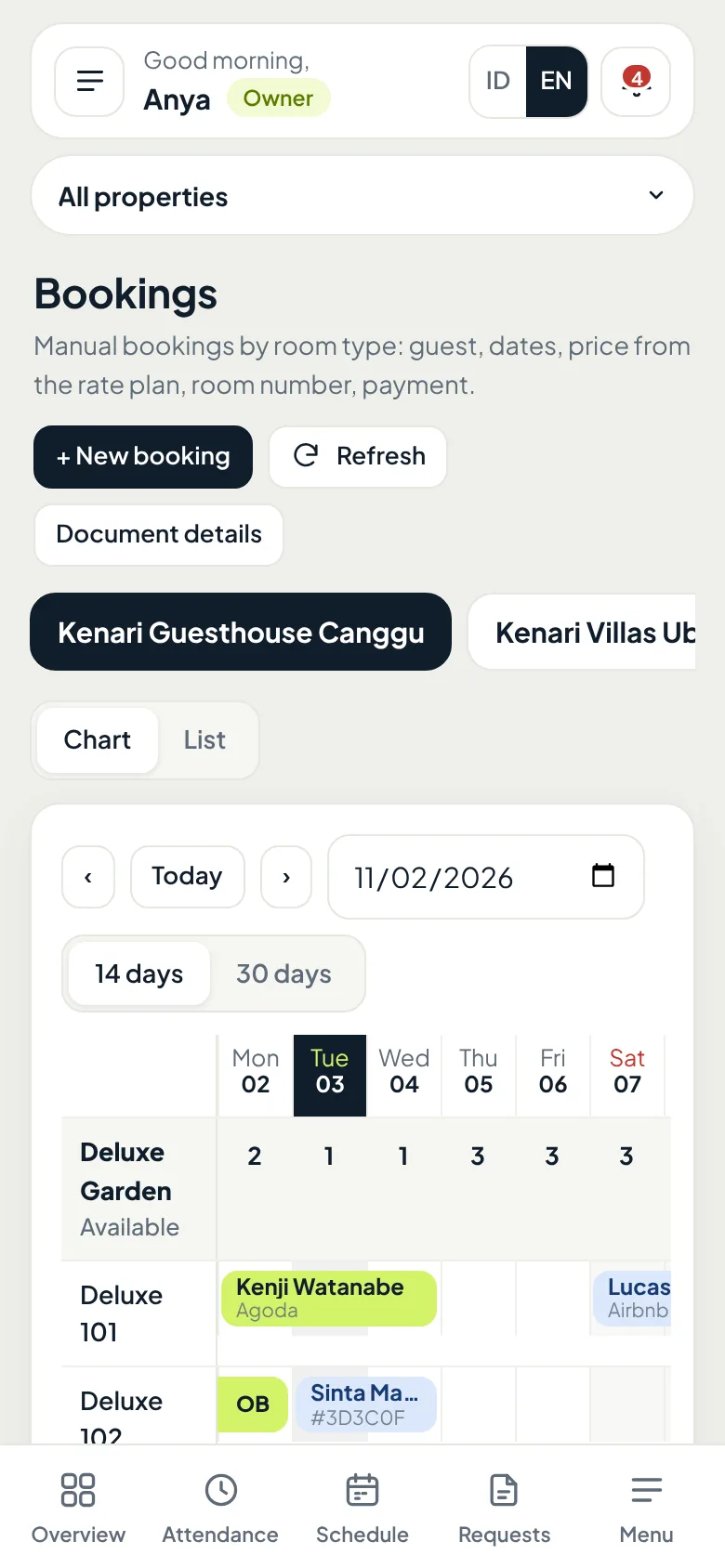
One property, too many places to check.
All four live in one app. Here is what it looks like.
Bookings & OTAs
Which rooms are still free tomorrow? One screen tells you.
Bookings from OTAs, WhatsApp, and walk-in guests land on the same booking chart. This is a real view from our demo account.
See Bookings & OTAs features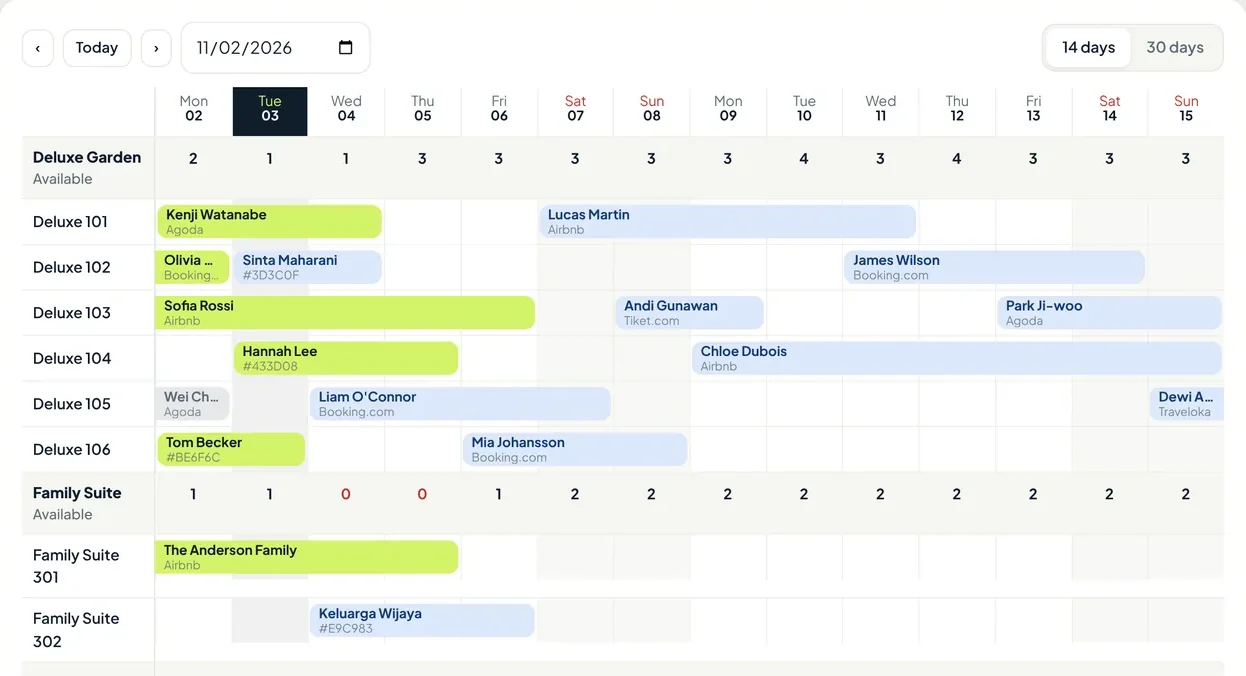
- Rooms left per type for every night, counted automatically.
- WhatsApp and walk-in bookings get their own booking code.
- OTA bookings arrive by themselves, labelled with their channel.
- A red number means that room type is full that night.
Team & Operations
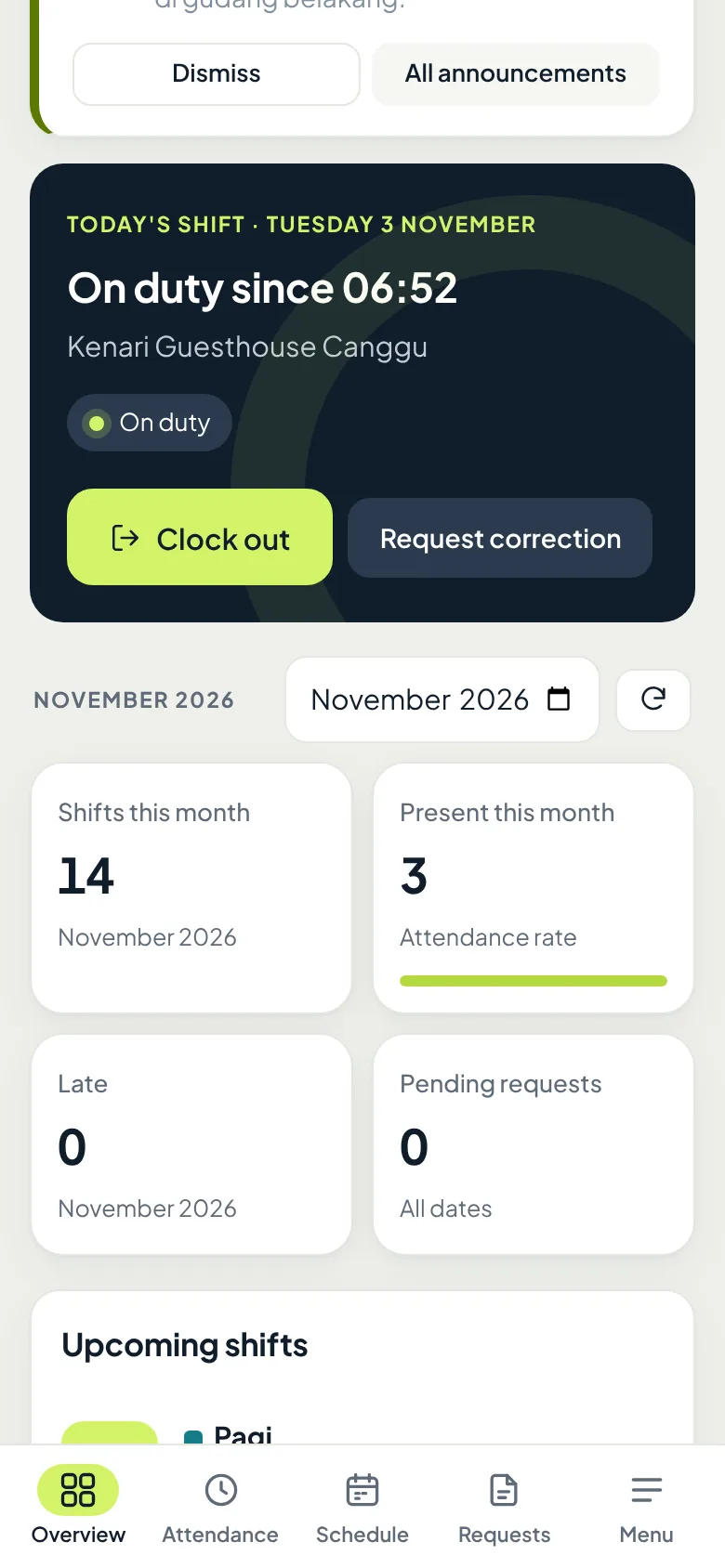
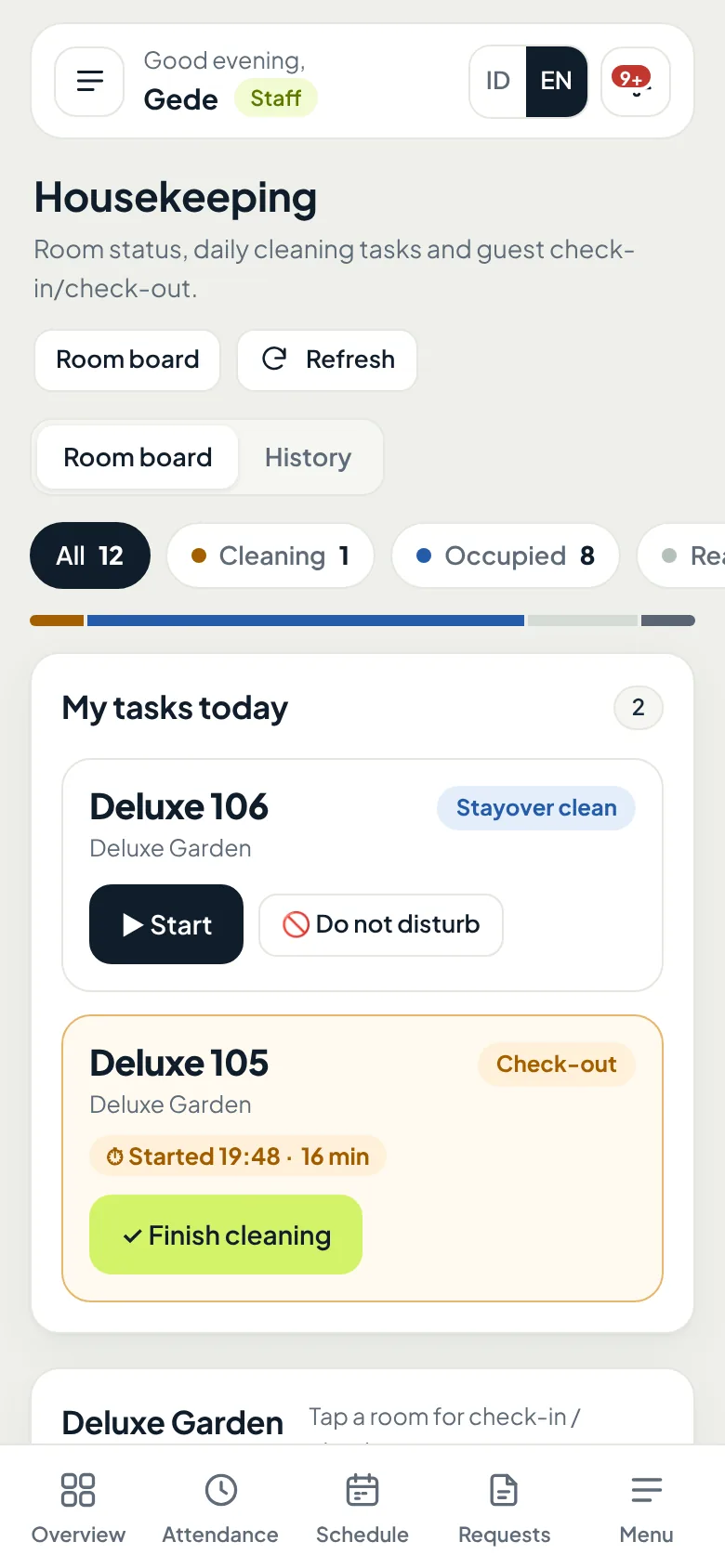
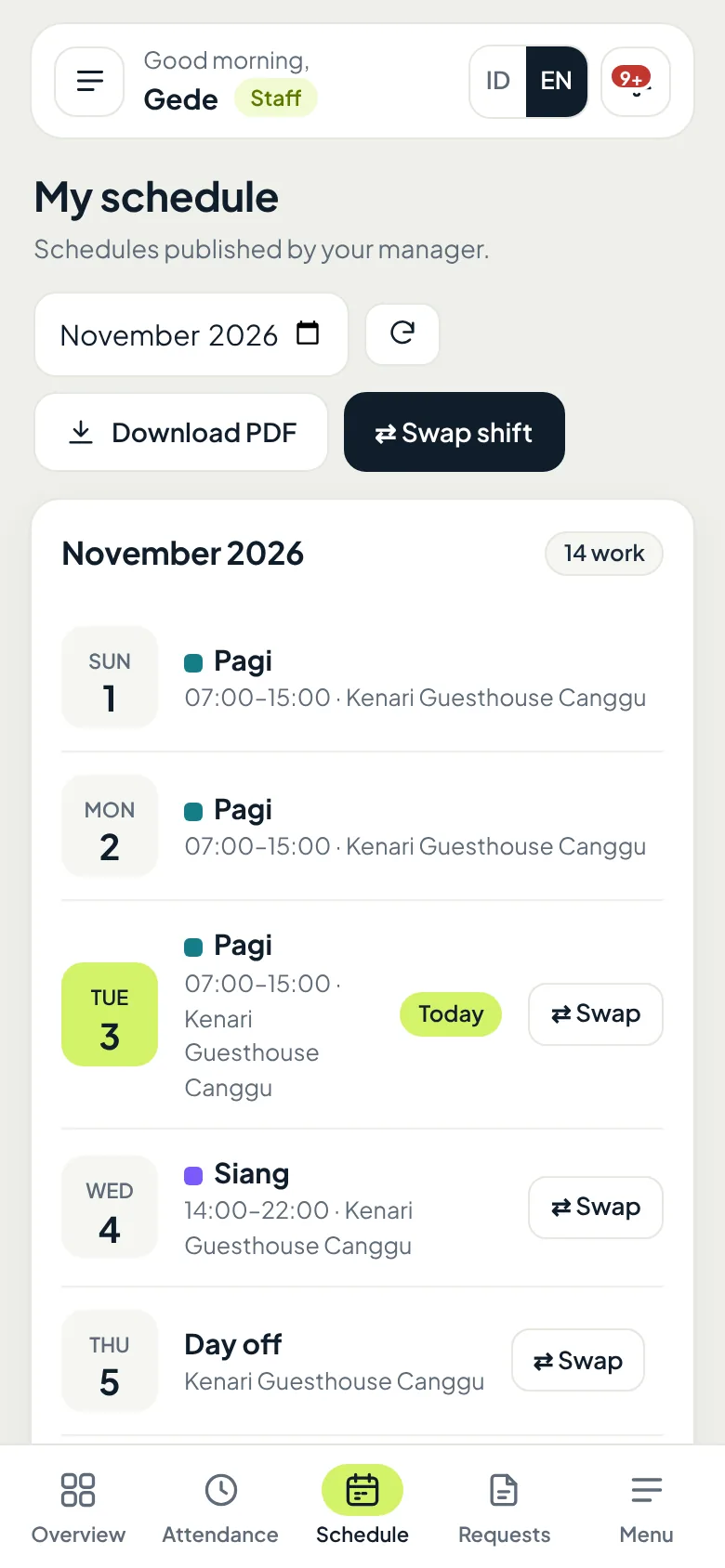
Staff matters, handled from their phones.
Attendance, shifts, leave, and overtime that used to get lost in a WhatsApp group are now recorded and easy to review at any time.
Housekeeping
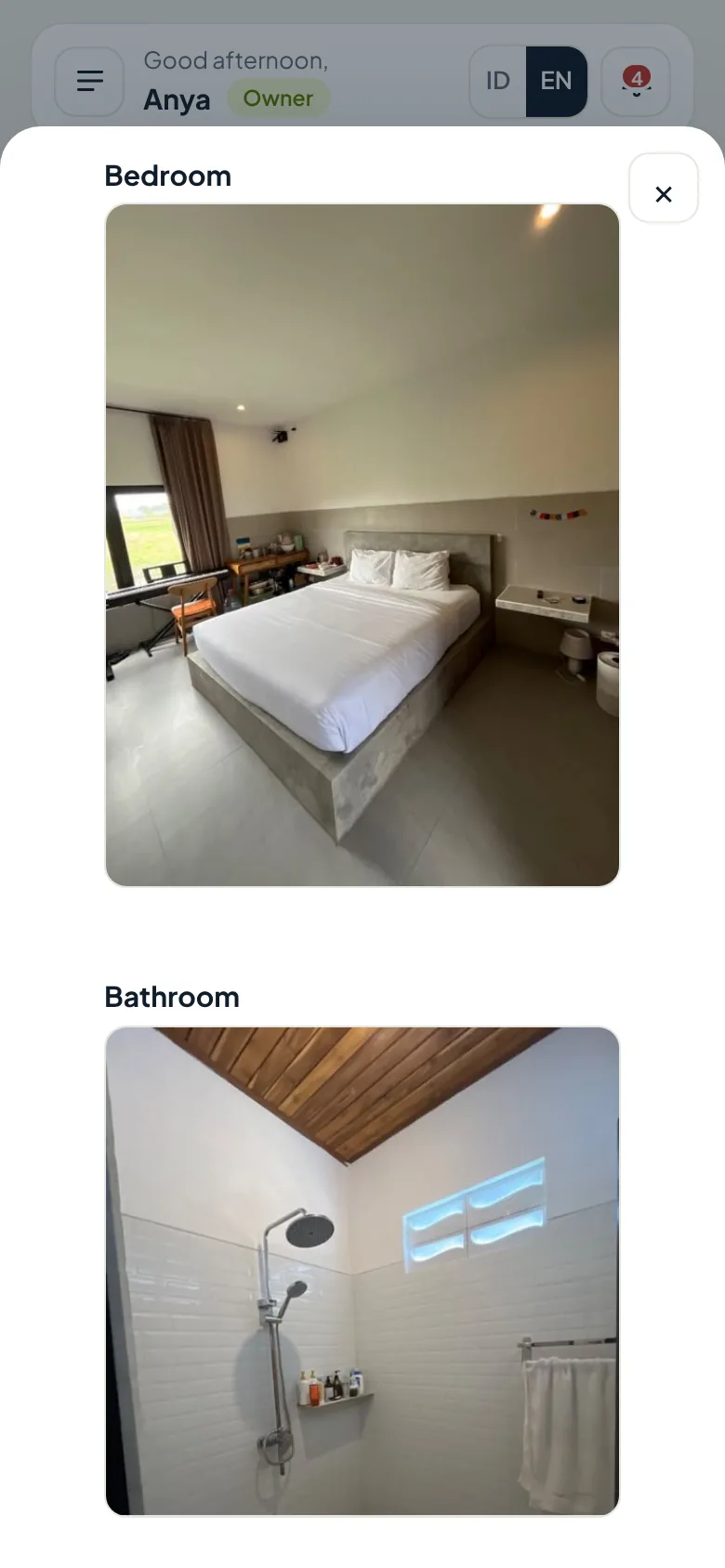
Room Deluxe 101, cleaned by Gede this morning.
Every cleaning task has a checklist and result photos, so you know a room is truly ready without going to check.
- cleaning time, recorded automatically
- 28 min
- required checklist items ticked
- 6/6
- bedroom and bathroom
- 2 photos
An example from the Kenari Guesthouse demo account.
See Housekeeping features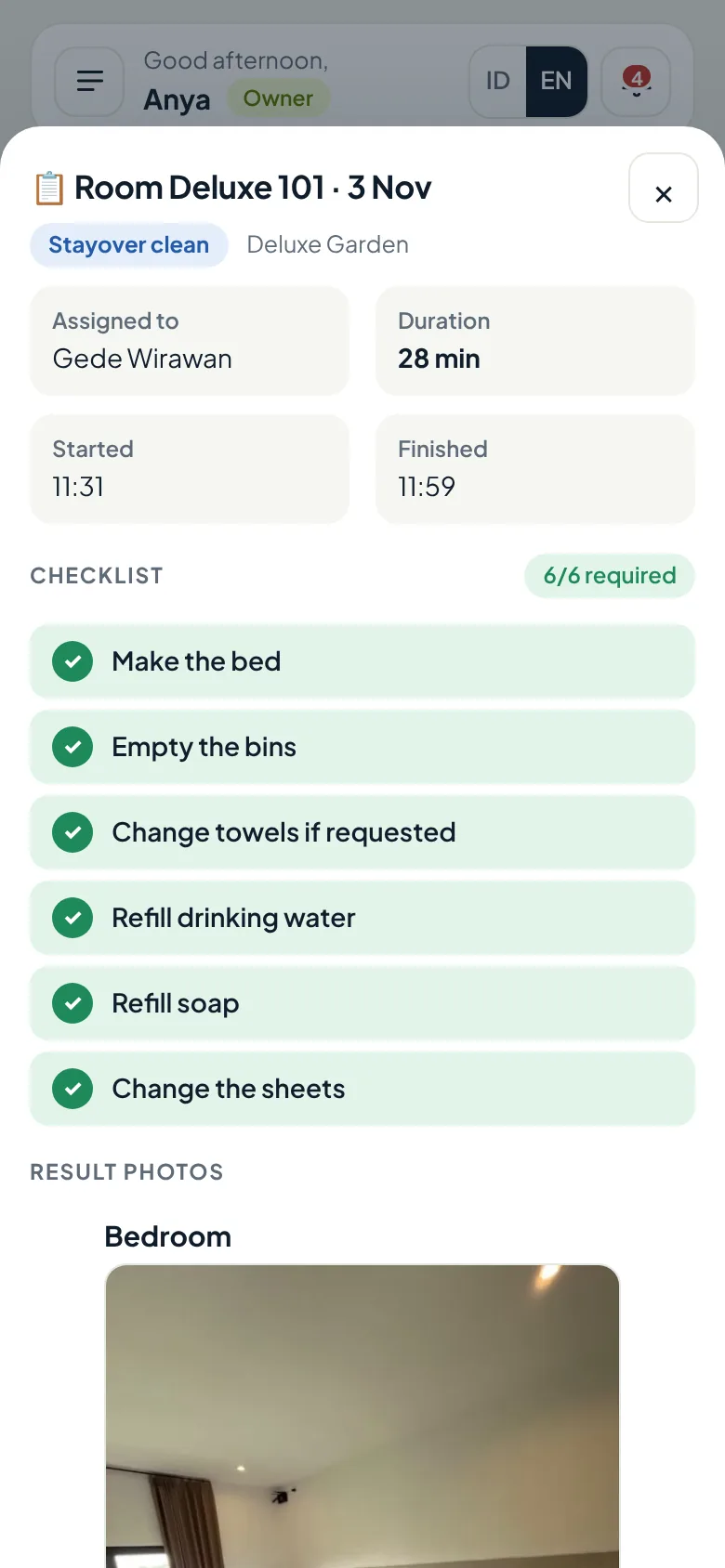
Finance & Reports
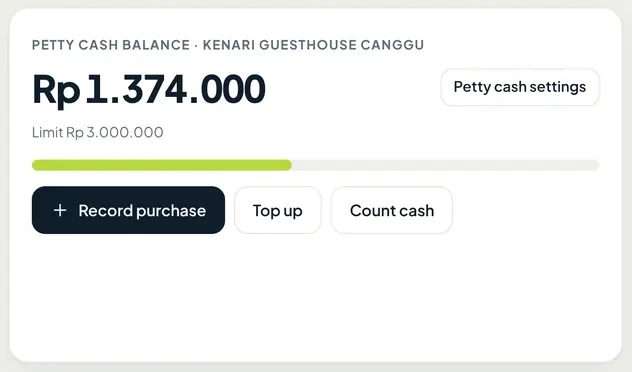
Your petty cash balance, visible from home.
Staff record purchases and top-ups on their phones, with a photo of the receipt. You check the balance, mark entries as reviewed, and download the report from anywhere.
- Petty cash per property, with a limit and cash counts
- Expenses by category with receipt photos
- Daily worker wages paid from petty cash or by transfer
Comparison
More than a PMS.
Housekeeping, attendance, and staff shifts in Oumah are add-ons. More on the Why Oumah page.
Free trial
Use Oumah for 14 days, pay only if it fits.
Chat with us on WhatsApp first, then the Oumah team sets up your property. Every base plan module is fully yours for 14 days, with your own property data.
- Day 1Your property is readyRooms, rates, and staff accounts set up by the Oumah team.
- Days 2 to 7Bookings land on one calendarRecord WhatsApp and walk-in bookings, and see rooms left every night.
- Day 8Read your first weekly reportOccupancy, revenue, and petty cash for your own property.
- Day 14You decideContinue with a monthly invoice, or stop at no cost.
No credit card. If you do not continue, you pay nothing.
Plans
Pay for what you use.
Start with the base plan, then add modules as you need them. Pricing depends on your rooms and modules, so we explain it on WhatsApp.
Base planFree for 14 days
Reservations and finance, including OTA sync, dynamic pricing, petty cash, and reports.
Good forProperties that want to sort out bookings and money first.
Add-ons
Extras you can switch on per property.
- Rooms & cleaning
- Staff & attendance
- OTA guest inbox
- AI reply assistant
- Cross-property staff
- Extra property
Good forProperties with a staff team or several locations.
Full management
The Oumah team helps run your property's operations.
Good forOwners who do not live near their property.
Booking Engine for your property's websiteComing soon
Is there a free trial?
Yes. Every base plan module is free for 14 days with your own property data, and the Oumah team helps you set it up. If you do not continue, you pay nothing.
Does Oumah sync with Booking.com, Agoda and Traveloka?
Yes, along with Airbnb, Expedia, Tiket.com and other channels supported by our official channel manager. So availability and bookings stay in one calendar. OTA sync is included in the base plan, and our team helps you connect it.
I already use another PMS. Is switching hard?
You don't have to move anything yourself. The Oumah team sets up your rooms, rates and staff accounts, and your upcoming bookings are added before you go live.
Is guest and staff data safe?
Each property is visible only to the people you give access to, according to their role. For face check-in, Oumah never stores selfies, only facial features as numbers.
Do I need to install an app?
No. Oumah runs in the browser on a phone or laptop, and can be added to the phone's home screen like a regular app.
Does it work for villas?
Yes. Villas can be sold as whole units, and each villa gets its own housekeeping tasks and staff schedule. Oumah is built for properties of around 5–30 rooms or units.
Is it available in English?
Yes. Each user picks Indonesian or English, so owners and staff can each use their own language.
Try it free for 14 days, with your own property.
Open the demo to see sample data, or chat with our team on WhatsApp to start your trial.