Housekeeping
Rooms ready without reminders.
Cleaning tasks are created automatically when guests check out and while they stay. Staff work from their phones with checklists and photos, and you see every room's status from anywhere.
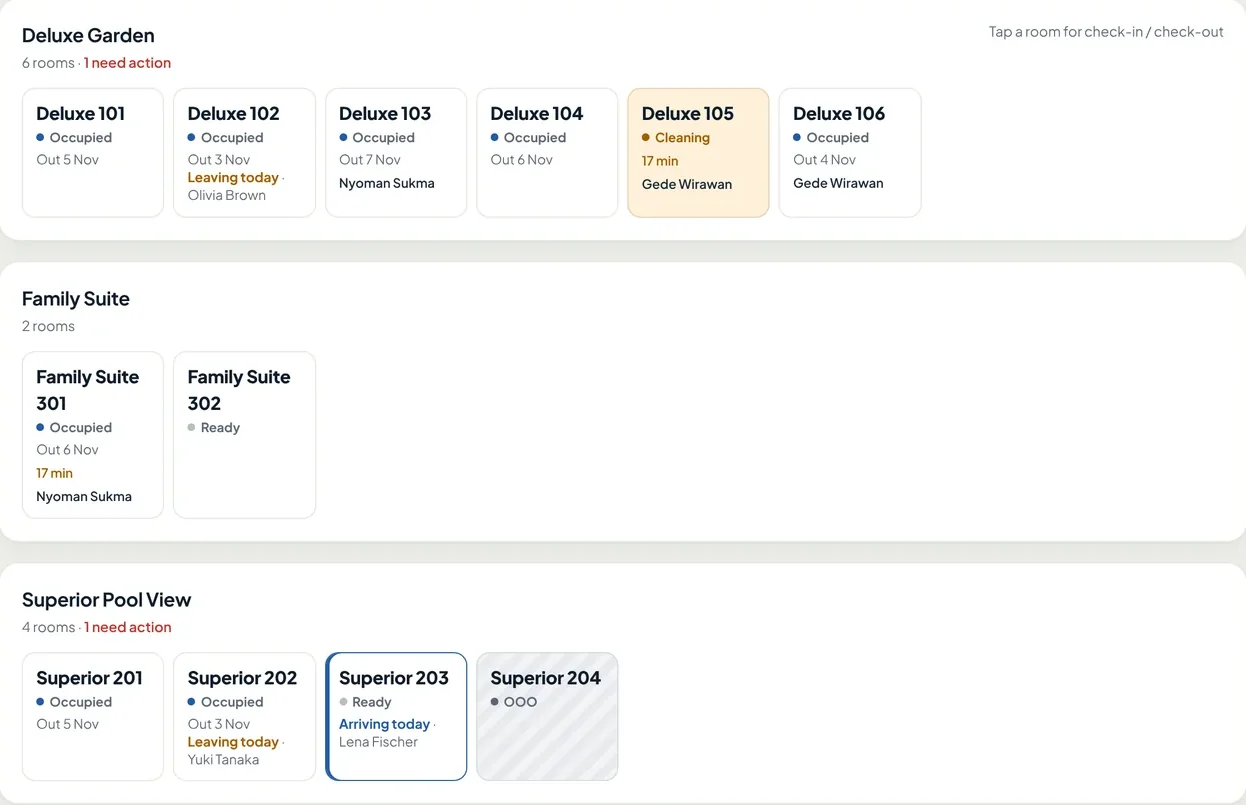
- Guests leaving today, so you know which rooms will be dirty from the morning.
- Rooms being cleaned, with the staff member and time spent.
- Guests arriving today, for the rooms that must be ready first.
- Out-of-order (OOO) rooms are marked and not sold.
Automatic tasks
No more assigning rooms in a WhatsApp group.
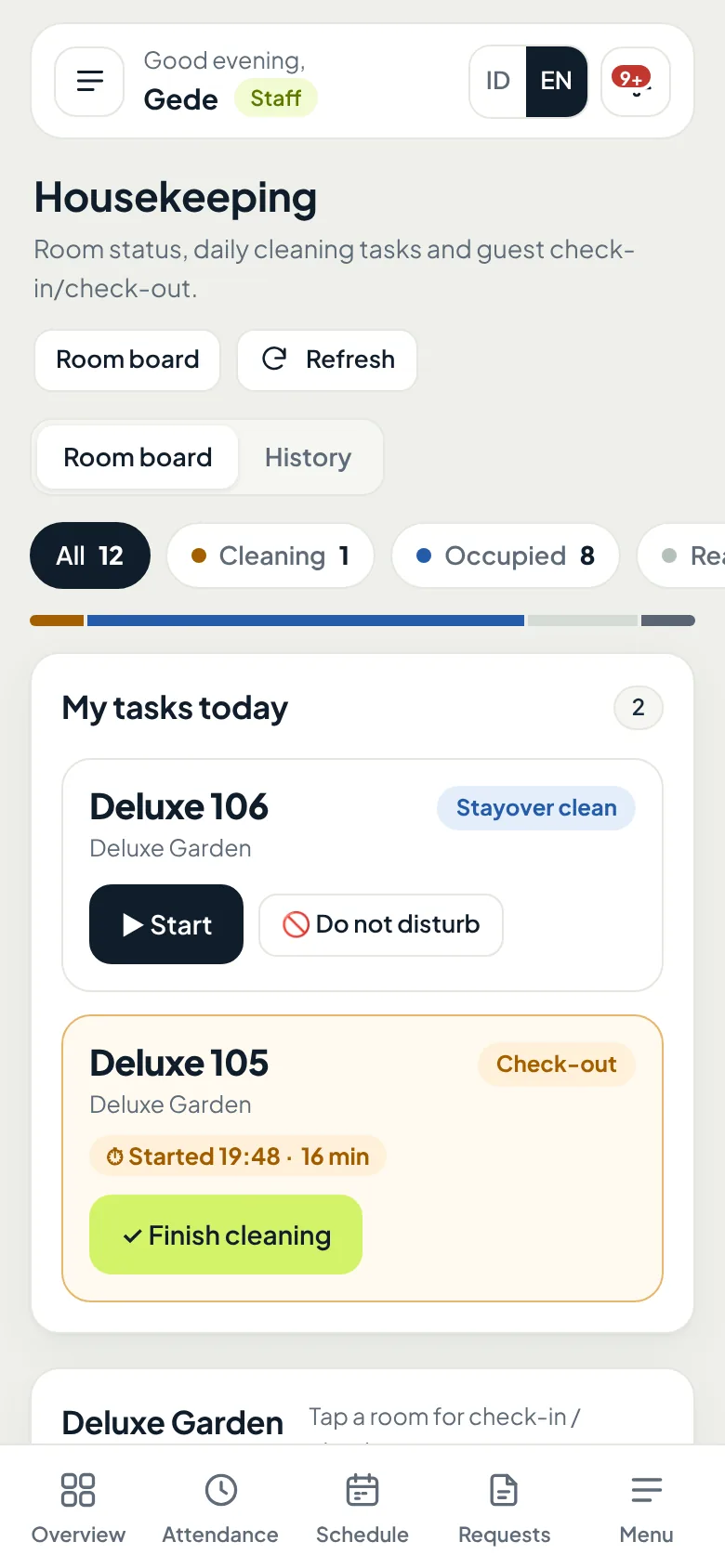
Oumah creates cleaning tasks every day and assigns them to staff on duty. Staff just open their phone to see which rooms to do.
- A guest checks out, a check-out cleaning task is created right away
- Stayover rooms are cleaned on schedule, daily or every few days
- Room holders per staff member, with backup staff
- Tasks move automatically when staff are off or moved to another property
- Guest does not want to be disturbed? Mark DND, the task is skipped and still recorded
Checklists & result photos
Proof of work, not just "done".
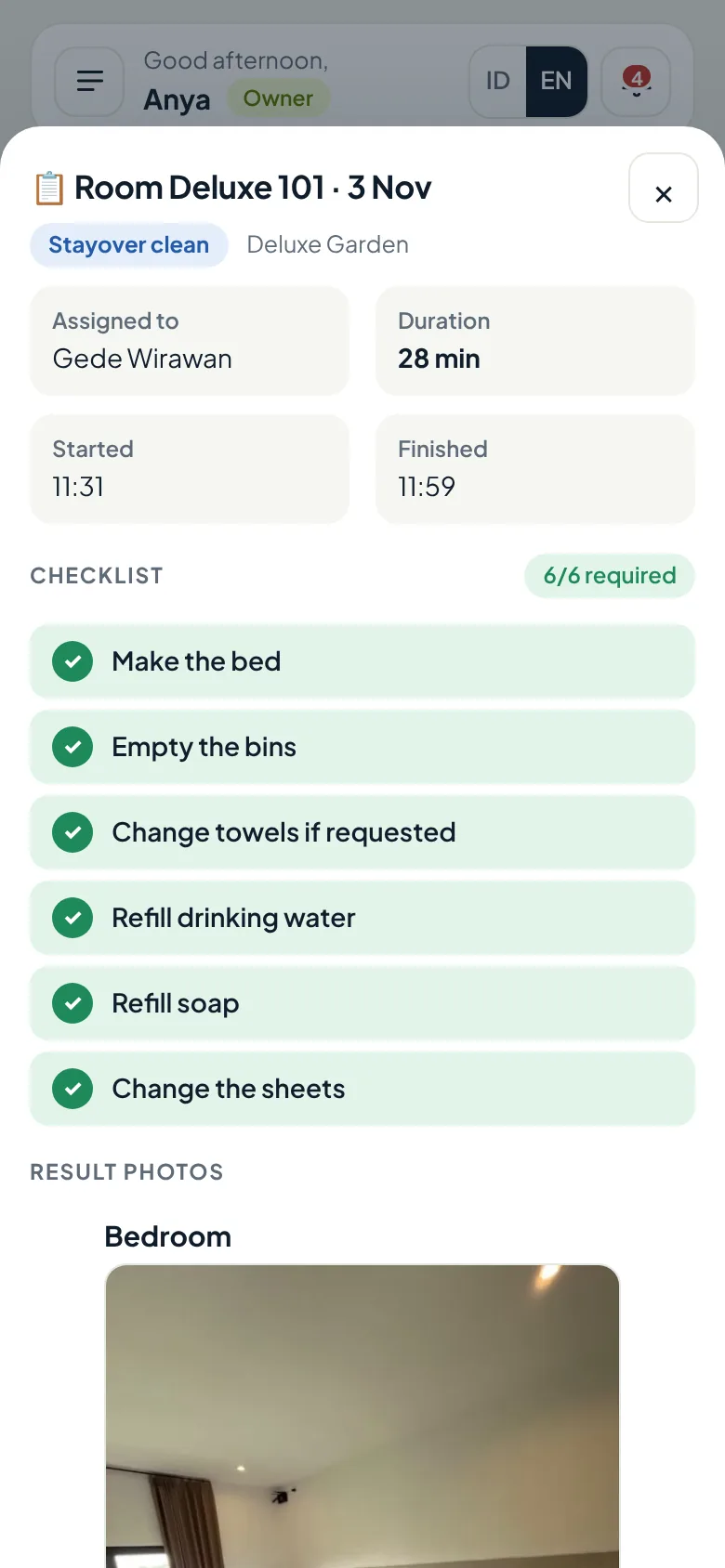
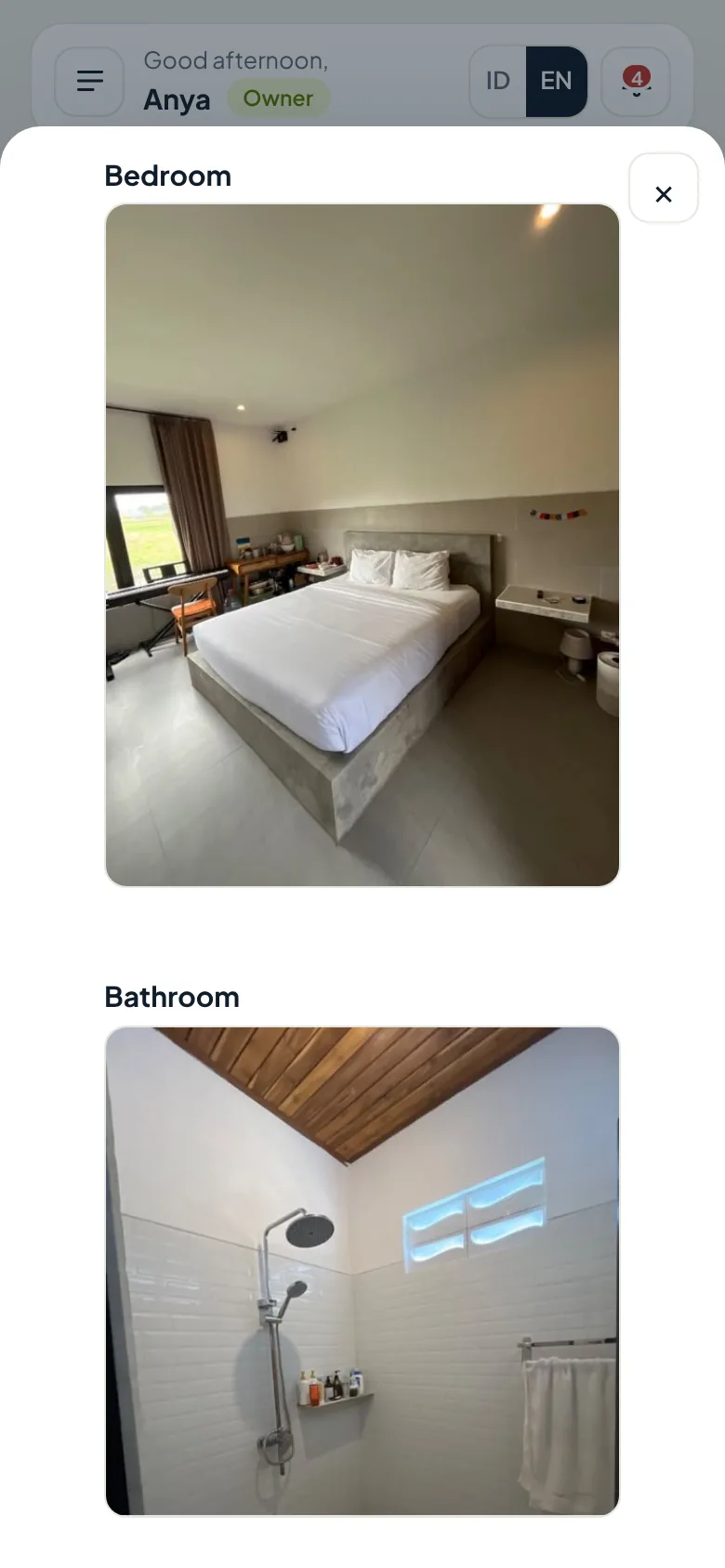
Staff tick off the checklist and photograph the result before a task can be finished. Start time, finish time, and duration are recorded automatically.
- cleaning time, recorded automatically
- 28 min
- required checklist items ticked
- 6/6
- bedroom and bathroom
- 2 photos
An example from room Deluxe 101 in the Kenari Guesthouse demo account.
Room board
Every room's status, from anywhere.
The room board shows which rooms are occupied, dirty, being cleaned, and ready, along with today's arrivals and departures.
- Check-outGuest leaves, a cleaning task is created
- DirtyWaiting for staff on duty
- CleaningStaff work through the checklist and photos
- InspectedOptionalA supervisor checks the room
- Ready to sellThe room is available again
Out-of-order rooms are not sold
Mark a room out of order (OOO) for a date range. It cannot be booked or checked in.
Report damage from a phone
Any staff member can report damage. Owners or managers approve or reject it.
Stuck tasks are flagged
If a room is taking too long, admins get a notification.
Average cleaning time per staff member, missed tasks, and damage reports are in the reports module. See Finance & Reports
Questions
About housekeeping.
Is housekeeping part of the base plan?
No. Housekeeping is part of the Rooms & cleaning add-on, switched on per property. The base plan covers reservations and finance.
Do staff need to install an app?
No. Staff open Oumah in their phone's browser and sign in with the account the owner created for them.
Can I use it without the booking chart or OTA sync?
Yes. Check-ins and check-outs can be recorded directly in Housekeeping, and cleaning tasks are still created automatically.
Can I change the checklist and number of photos?
Yes. Owners or managers set the checklist and photos per room type, separately for check-out and stayover cleaning.
How long are result photos kept?
Photos are kept for the retention period you set, then deleted automatically to keep storage light.
What if the staff member who usually cleans a room is off?
Tasks that have not started are moved automatically to backup staff or another staff member on duty, who gets a notification.
See the housekeeping board with sample data.
Open the demo to see room tasks, checklists, and result photos, or ask us first on WhatsApp.