Gede · housekeeping
Checking in with his face, on site.
Gede opens Oumah on his phone and looks at the camera. GPS confirms he is at the property, and his start time is recorded by the server, not by the phone's clock.
Team & Operations
Staff check in with face and GPS, see their schedule on their phone, and request leave or overtime from there. You approve and review everything from anywhere.
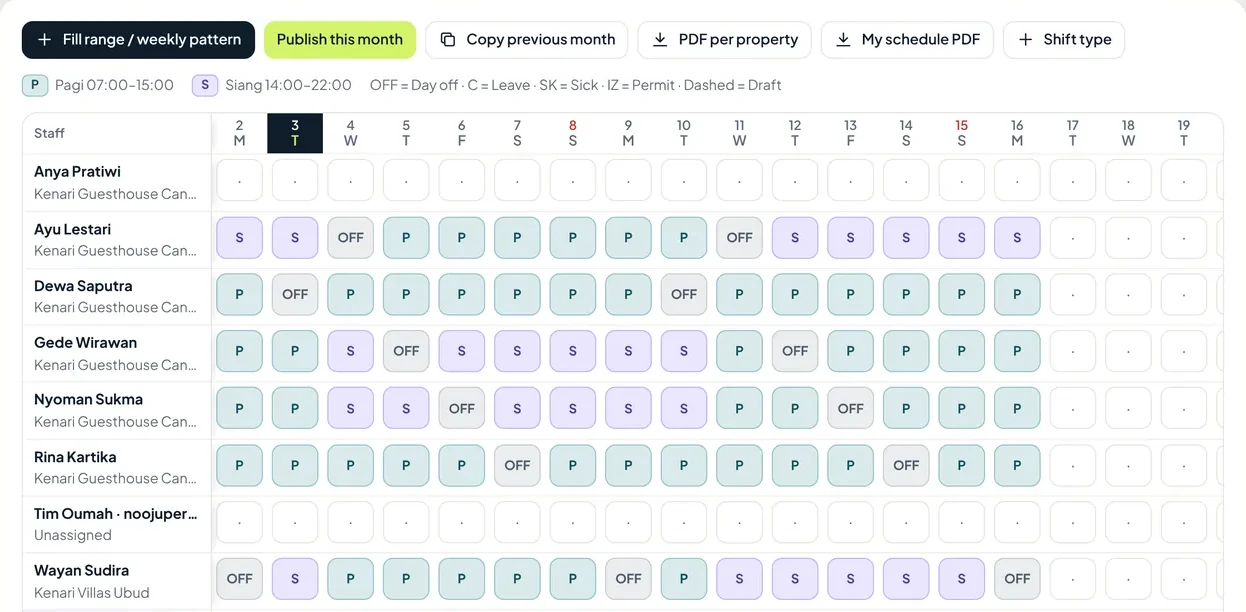
One day at Kenari Guesthouse
Kenari Guesthouse is the sample property in the Oumah demo account. This is what one working day looks like for them.
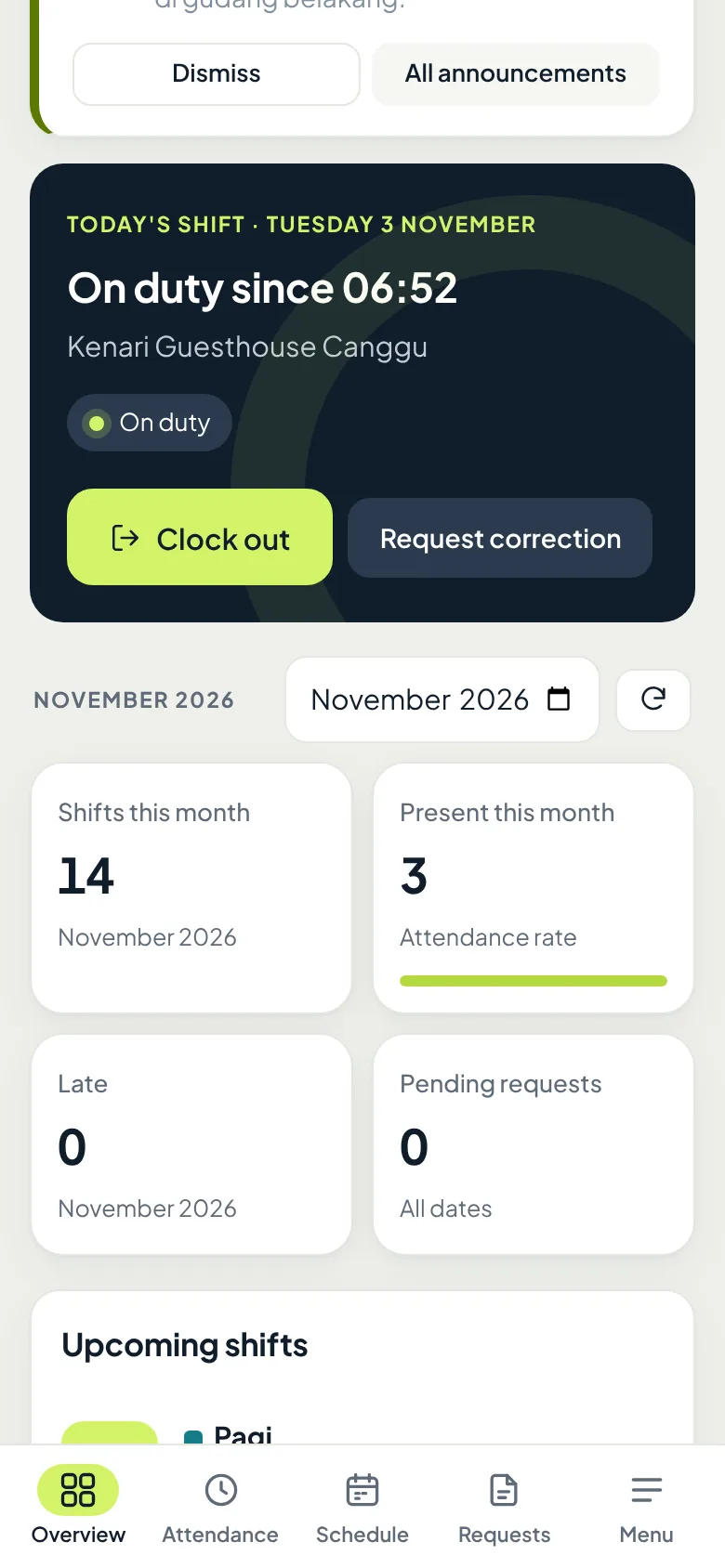
Gede · housekeeping
Gede opens Oumah on his phone and looks at the camera. GPS confirms he is at the property, and his start time is recorded by the server, not by the phone's clock.
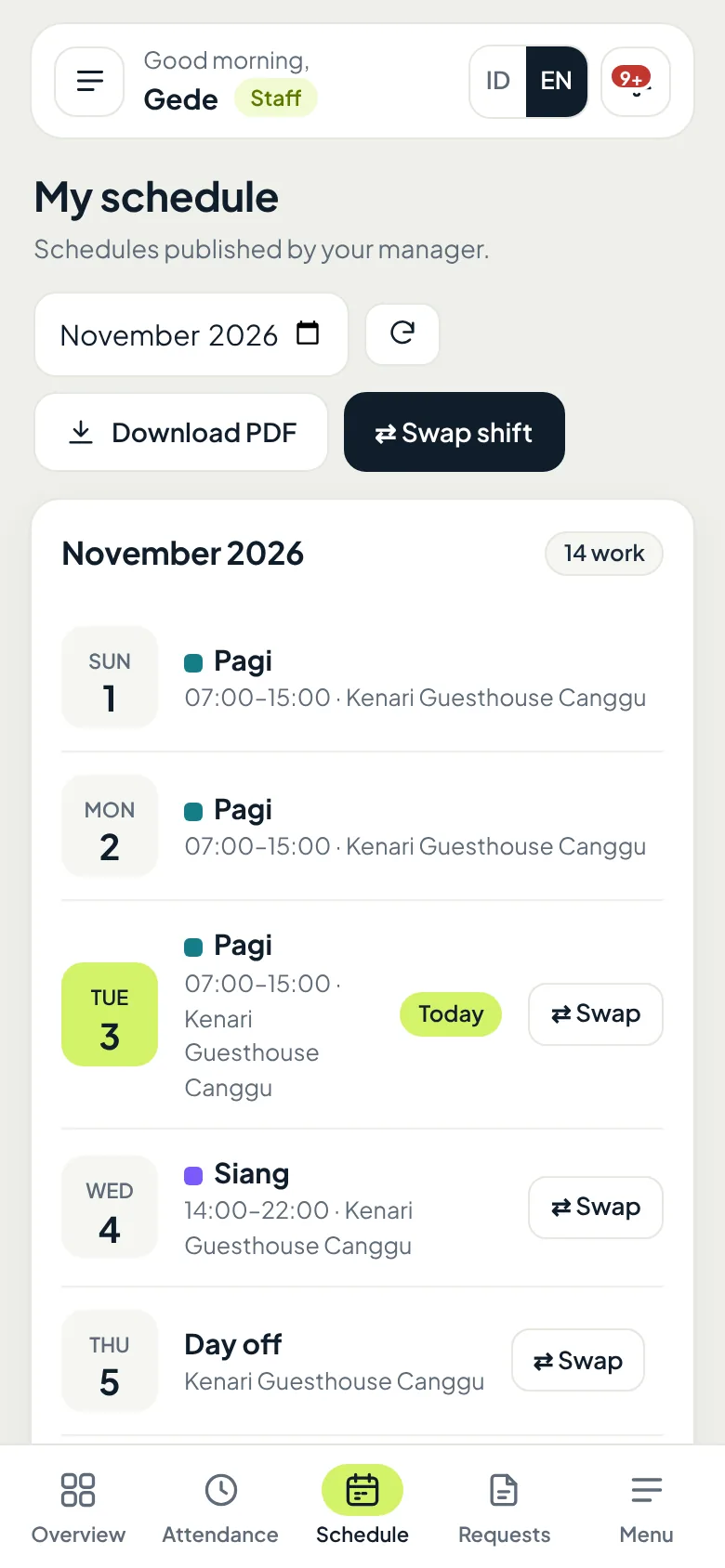
Gede · housekeeping
Morning today, afternoon tomorrow, off on Thursday. If he needs to swap a shift with a colleague, Gede requests it right from his schedule.
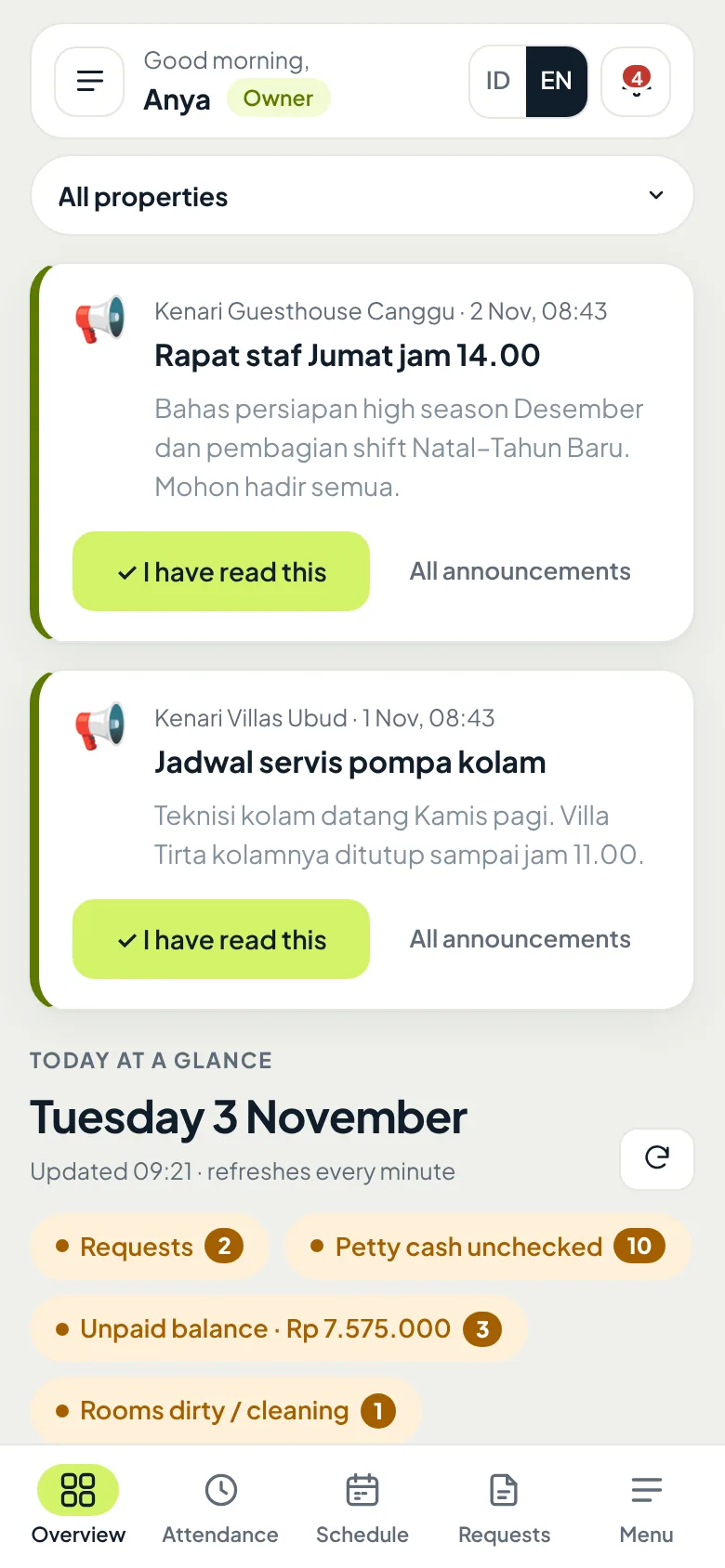
Anya · owner
Staff meeting Friday at 2 pm. Anya writes it once for the right property, and each staff member marks it as read.
Ayu · staff
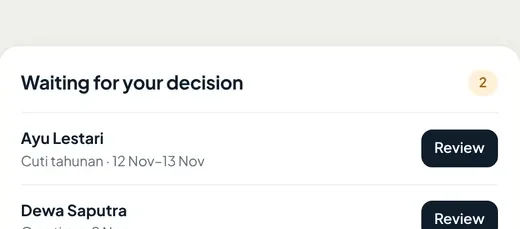
Ayu requests annual leave for 12–13 November. The request shows up on Anya's Overview right away; once approved, Ayu's schedule and leave balance update.
Dewa · staff
Dewa leaves an hour after his shift ends. The overtime is requested and approved in Oumah, then counted at the property's overtime rate.
Anya · owner
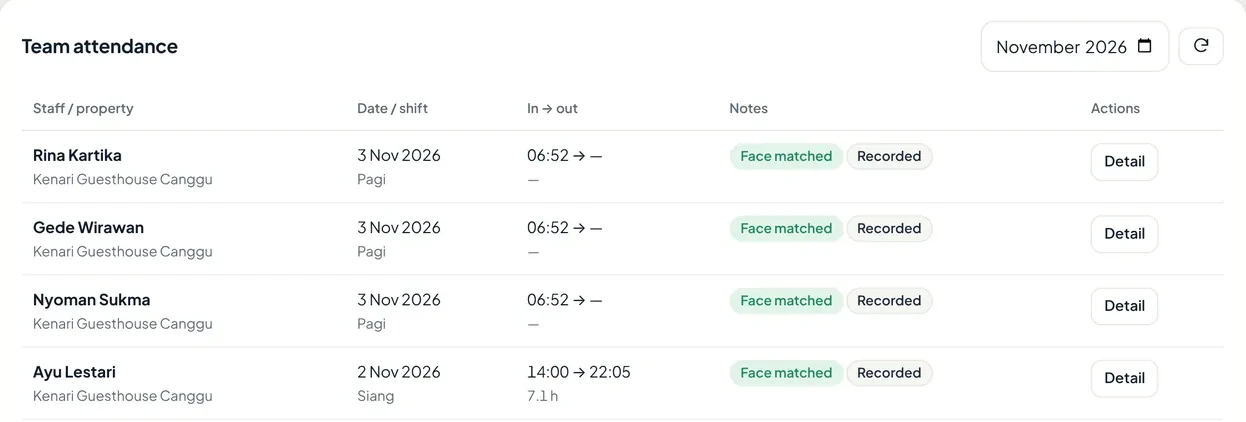
Who showed up, start and finish times, and whether the face matched, all in one table. Anya does not need to visit the property to check.
Face check-in
Staff selfies are never stored.
Face check-in makes sure the right person is at the right place, without keeping photos of your staff.
When staff enroll, Oumah only stores their facial features as a series of numbers. The original photo is never uploaded.
Every check-in asks staff to blink or turn their head, so a photo on another phone's screen will not work.
Check-ins are accepted at the property's location, and the time is recorded by the server, not the phone's clock.
If a phone acts up or a face is not recognized, staff can request an attendance correction for a manager to approve.
An honest note: phone location is not fully immune to location-spoofing apps. That is why face check-in and attendance history stay available for you to review.
Also in the team module
Daily workers, staff who move between properties, and payroll, all recorded in the same place.
Daily workers check in with face and GPS like permanent staff. Wages are calculated from attendance and can be paid daily, weekly, or monthly, from petty cash or by transfer.
Base salary, allowances, and overtime are calculated per period, reviewed, and printed as payslips.
One staff member can be scheduled at several properties. Tasks and announcements follow wherever they are working that day.
Daily tasks like cleaning the pool have a time window and checklist, and announcements reach the right property's staff.
Questions
No. Staff & attendance is an add-on switched on per property. The base plan covers reservations and finance.
No. Any phone with a camera and GPS that can open a browser works. Staff sign in with the account the owner created for them.
Only facial features stored as numbers are kept, never photos. They are used only to match check-ins within your organization.
Open check-ins can be closed automatically by your rules, and staff can request a correction for a manager to approve.
Yes, with the cross-property staff add-on. Staff can be scheduled at any property, and their tasks follow that day's schedule.
Yes. The annual leave allowance is set per organization, and staff see their own leave balance before requesting.
Open the demo to see schedules, attendance, and staff requests, or ask us first on WhatsApp.