Monday · WhatsApp chat
Hannah asks about a room for 3–5 November.
Front office pastes her chat into the AI assistant. It checks free rooms and rates in Oumah and drafts a reply ready to copy.
Bookings & OTAs
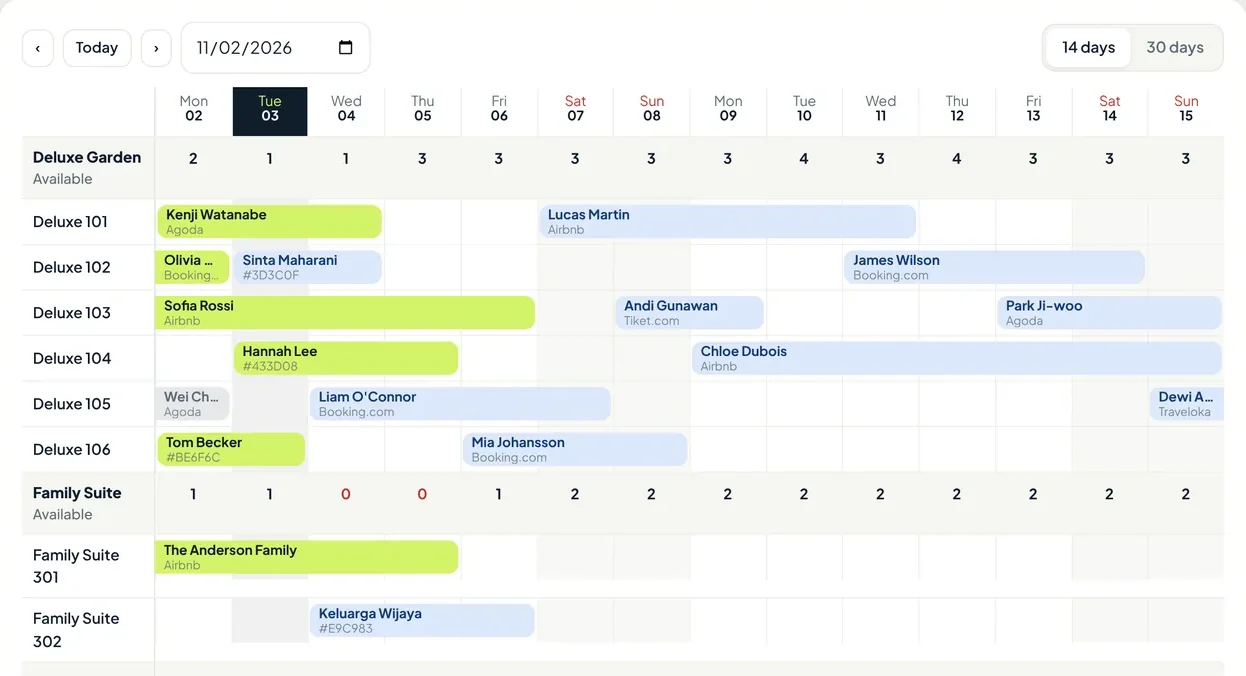
Bookings from OTAs, WhatsApp, and walk-in guests land on the same booking chart, with nightly rates, payment status, and rooms left per type.
One guest, from chat to check-out
Hannah Lee is a sample guest in the Kenari Guesthouse demo account. She books Deluxe 104 for two nights over WhatsApp.
Monday · WhatsApp chat
Front office pastes her chat into the AI assistant. It checks free rooms and rates in Oumah and drafts a reply ready to copy.
Dewa · front office
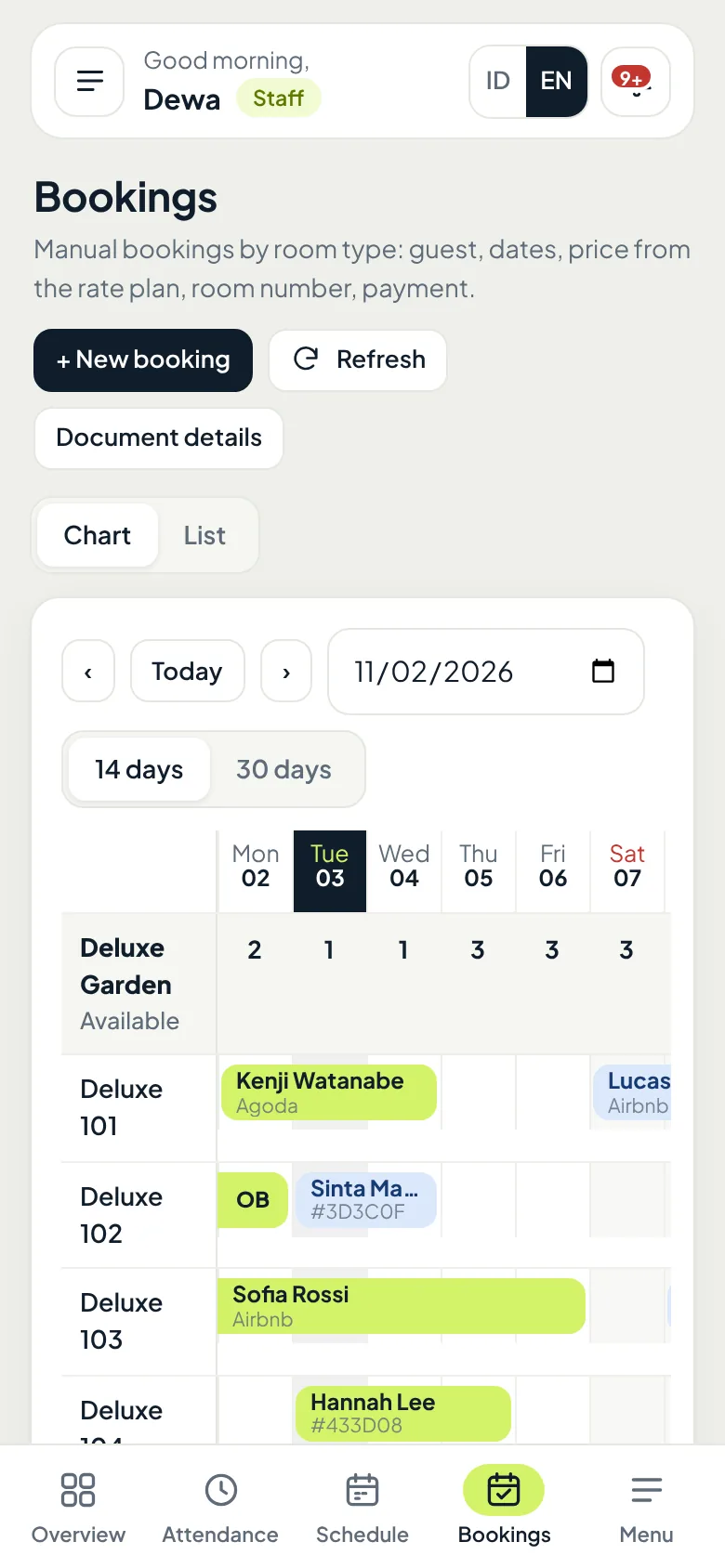
Nightly rates come from the rate plan. The booking appears on the booking chart with its own code, and rooms left for Deluxe Garden drop right away.
Channel manager
Another room sells on Agoda. The booking lands on the chart without retyping, and availability on every OTA is adjusted straight away.
Tuesday · arrival day
Her room number is already assigned, and that morning's Overview shows who arrives, who leaves, and today's occupancy.
Thursday · departure day
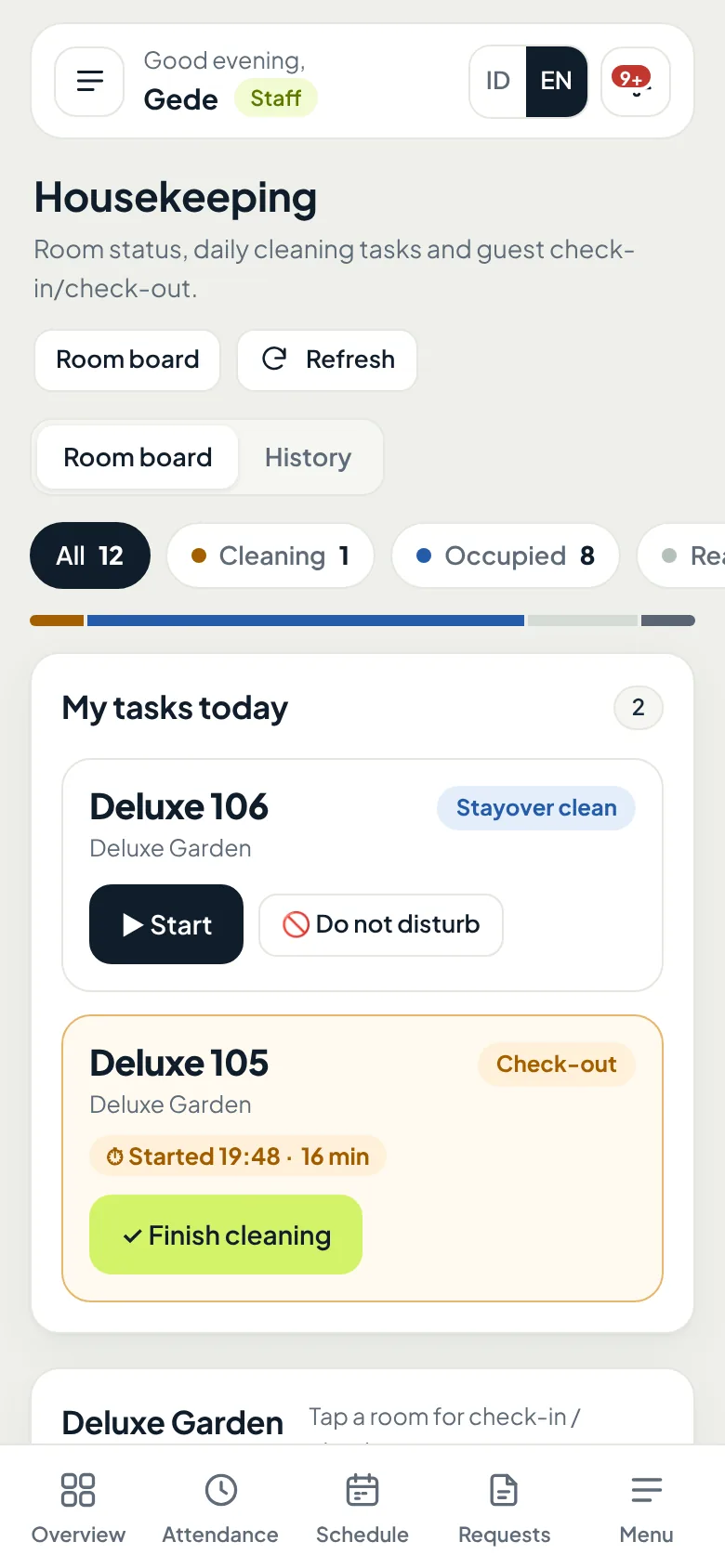
When Hannah checks out, the balance is recorded and a check-out cleaning task is created for the housekeeping staff on duty.
Rates & payments
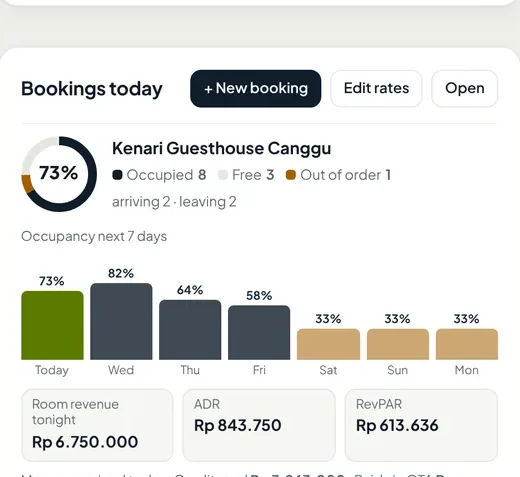
Rates come from your rate plans automatically, and every guest payment is recorded until it is paid in full. Each morning you see occupancy and revenue without doing the math.
OTA sync
Oumah connects to OTAs through an official channel manager. When a booking comes in, availability drops on every channel, so you never have to close rooms one by one.
Availability and rates go out whenever they change, plus a full sync every day.
OTA bookings get a room number right away and appear on the booking chart.
Overbookings or changes that cannot be applied go to a "Needs review" list.
Including: Booking.com, Agoda, Airbnb, Traveloka, Tiket.com, Expedia, Trip.com, Hotels.com, Vrbo, Hostelworld, Hotelbeds, Google Hotels and other channels supported by the channel manager.
Add-ons
The booking chart, OTA sync, and dynamic pricing are included in the base plan. The inbox and AI assistant can be added per property.
Guest messages from Booking.com, Airbnb, and Expedia arrive in one inbox in Oumah, and front office can reply from there.
Paste a guest's WhatsApp chat. The AI checks availability and rates in Oumah and drafts a reply in your property's tone of voice.
Guests book directly from your property's website, with no OTA commission. It will be part of the base plan.
Questions
Booking.com, Agoda, Airbnb, Traveloka, Tiket.com, Expedia, and other channels supported by our official channel manager. Tell us which OTAs you use on WhatsApp and we will check before you start.
Yes. Bookings from WhatsApp, phone, and walk-ins are still recorded on the booking chart. OTA sync is included in the base plan and can be connected anytime.
Nightly rates from the OTA are used as they are and cannot be edited in Oumah, so they match what the guest paid. Direct and walk-in bookings stay editable per night.
Every booking reduces availability on all channels automatically. If a conflict still happens, the booking is flagged "Needs review" so it can be handled quickly.
The Oumah team. We set up your room types and rate plans, then connect them to the OTAs you use.
Open the demo to try the booking chart, rate plans, and payments, or ask us first on WhatsApp.